ILOM snapshot is a support bundle that collects logs, configuration, inventory and diagnostic data from the Integrated Lights Out Manager (ILOM). Oracle Support often asks for this snapshot when you open a hardware SR for SPARC/x86 servers.
Add your ILOM snapshot demo video URL in solarisLessons.js.
What is an ILOM snapshot and why use it?
What
An ILOM snapshot is a compressed support bundle containing logs, event history, hardware inventory and configuration from the server's service processor.
Why
Oracle Support uses it to analyse hardware faults, sensor alerts, PSU/fan issues, temperature problems, firmware mismatches and more.
How
You can generate it either from the ILOM web GUI or via the CLI on /SP/diag/snapshot and then download/upload it to My Oracle Support.
Typical situations where ILOM snapshot is requested
Server random resets / power issues.
PSU/Fan/Sensor alarms on the ILOM dashboard.
DIMM or CPU faults, FMA events.
Firmware_upgrade-related problems.
Any hardware SR opened with Oracle Support.
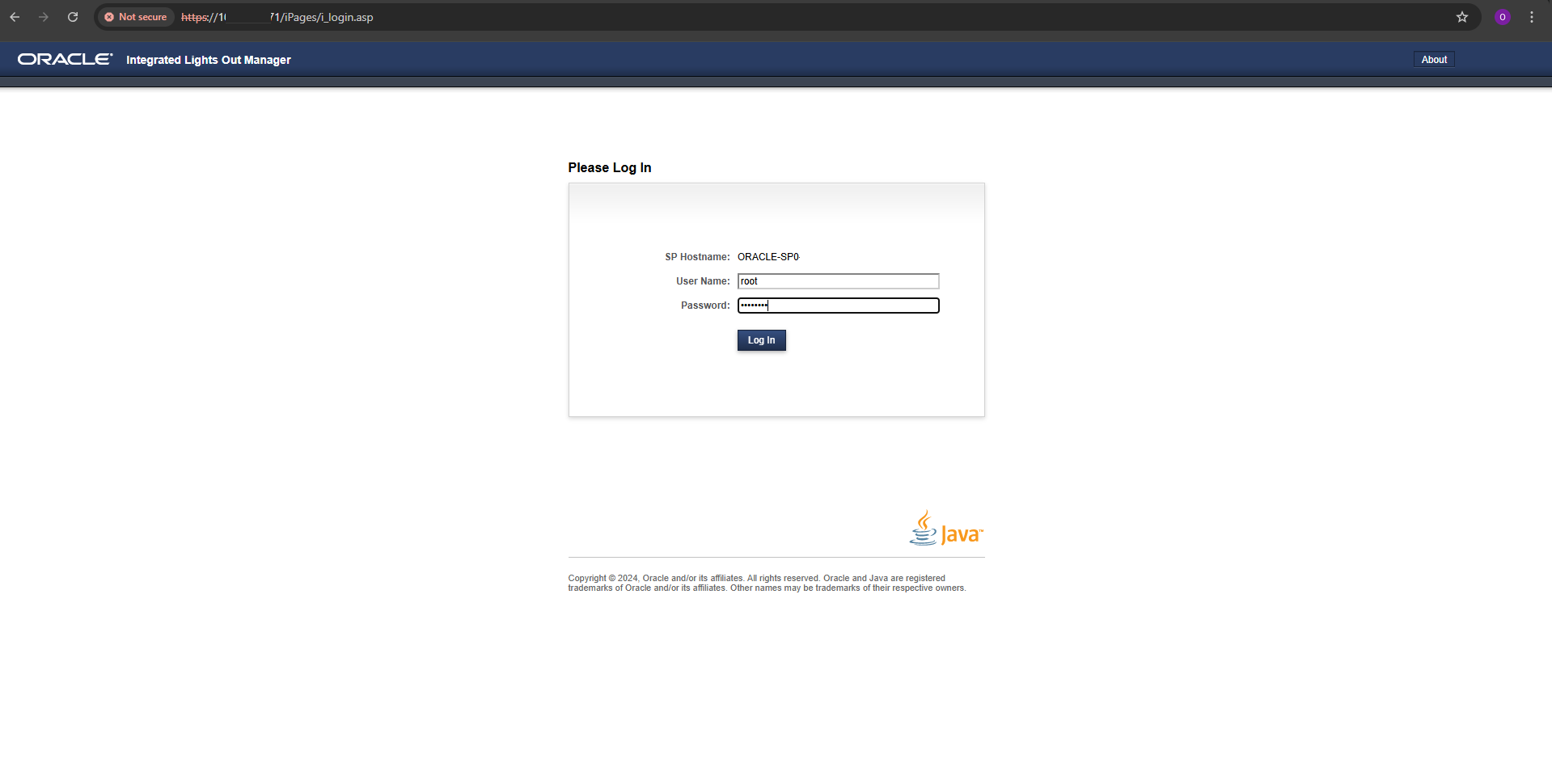
Step 1 – Login to ILOM web interface
Open a browser and connect to the ILOM IP address using HTTPS. Log in with your ILOM credentials (usually a dedicated admin account, not root of the OS).
URL typically looks like: https://<ilom-ip>/
Use the username/password you use for service processor.
Ensure you are allowed to take snapshots as per your company’s policy.
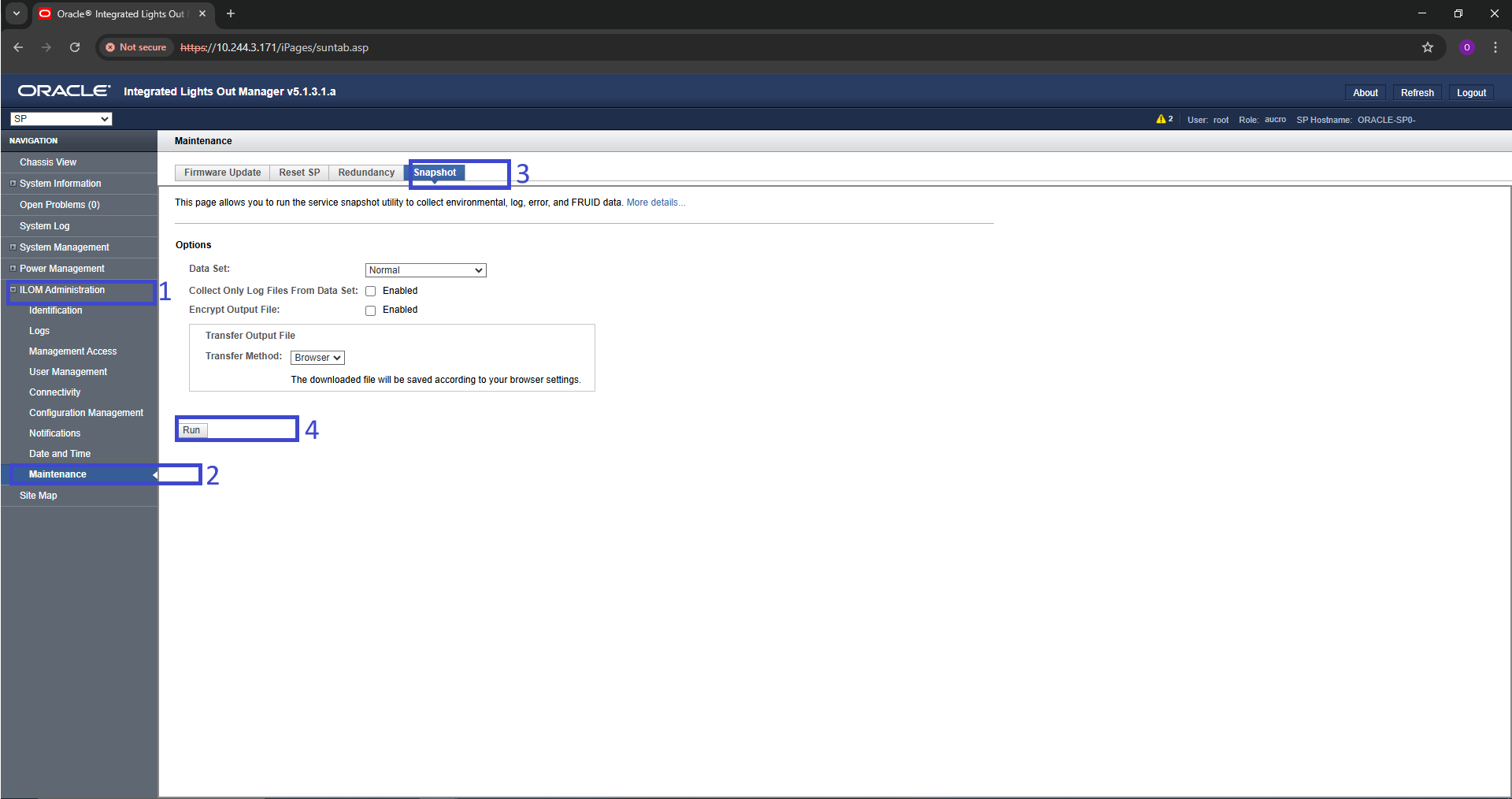
Step 2 – Navigate to ILOM Snapshot section
The exact menu name may differ slightly between platforms, but generally you will find the snapshot option under Maintenance / Service / Diagnostics in the ILOM web interface.
Typical navigation ideas (may vary by model)
Maintenance → ILOM Snapshot
Maintenance → Diagnostics → Snapshot
Service → Snapshot / Service Snapshot
Step 3 – Generate and download the snapshot (GUI)
On the snapshot page, you'll typically choose:
Type of snapshot (full / normal / minimal – depends on ILOM).
Target location (download to browser or remote share).
Optionally include debug/extended logs if requested by Oracle.
Typical flow
Click on <strong>Create Snapshot</strong> or similar button.
Wait while the ILOM collects logs and builds the bundle.
After completion, click the download link/button.
Save the .tar.gz or .zip file to your workstation.
Generating ILOM snapshot from CLI
If you have CLI access to the ILOM (via SSH / serial), you can generate the snapshot without using the browser. This is useful in restricted environments or when the web UI is not responding.
1. Check snapshot component in ILOM CLI
From the ILOM CLI, you can inspect the snapshot target and its properties.
terminal — ilom snapshot
ilom-cli
-> cd /SP/diag/snapshot
-> show
/SP/diag/snapshot
Targets:
files
Properties:
dump_uri = (none)
snapshot_state = idle
snapshot_id = -
2. Set dump_uri – where snapshot will be stored
You can use scp, sftp, nfs or local tmp as per your ILOM version and policy. Example with SCP:
terminal — ilom snapshot
ilom-cli
-> cd /SP/diag/snapshot
# Format may vary slightly by platform/version:
-> set dump_uri=scp://user@192.168.1.10/tmp
Set 'dump_uri' to 'scp://user@192.168.1.10/tmp'
-> show dump_uri
dump_uri = scp://user@192.168.1.10/tmp
3. Trigger ILOM snapshot generation
Setting generate_snapshot to true starts the support snapshot creation.
terminal — ilom snapshot
ilom-cli
-> cd /SP/diag/snapshot
-> set generate_snapshot=true
Generating ILOM snapshot...
Snapshot request accepted. Check 'snapshot_state' for progress.
-> show snapshot_state
snapshot_state = running
# After some time:
-> show snapshot_state
snapshot_state = completed
# The snapshot file is now stored at dump_uri path.
Exact property names and supported URI schemas may vary by ILOM version / platform. Always check show output and Oracle documentation for your specific hardware.
Security & Best Practices for ILOM Snapshots
ILOM snapshots may contain hostnames, IPs, serial numbers and diagnostic data – treat them as sensitive.
Store snapshots only on approved locations (ticket system / SR attachments / secure share).
Delete local copies after uploading to My Oracle Support, if your security policy requires it.
When opening an SR, mention the snapshot file name and when it was collected, so Oracle can correlate logs with events.
ILOM snapshot is often the first thing Oracle asks for – if you can collect it quickly and correctly, SR resolution becomes much faster.